

Intelligence to CAD
The Intelligent
Companion
For CAD.
Serious work should feel lighter.
AutoCad Plugins that eliminate repetitive work by automation.
✓ 31-day free trial
2500+
Users
450+
Offices
10+
Cities
FAQ
Questions Architects Ask Before Trying HQCS
Everything you need to know about HQCS CAD automation tools.
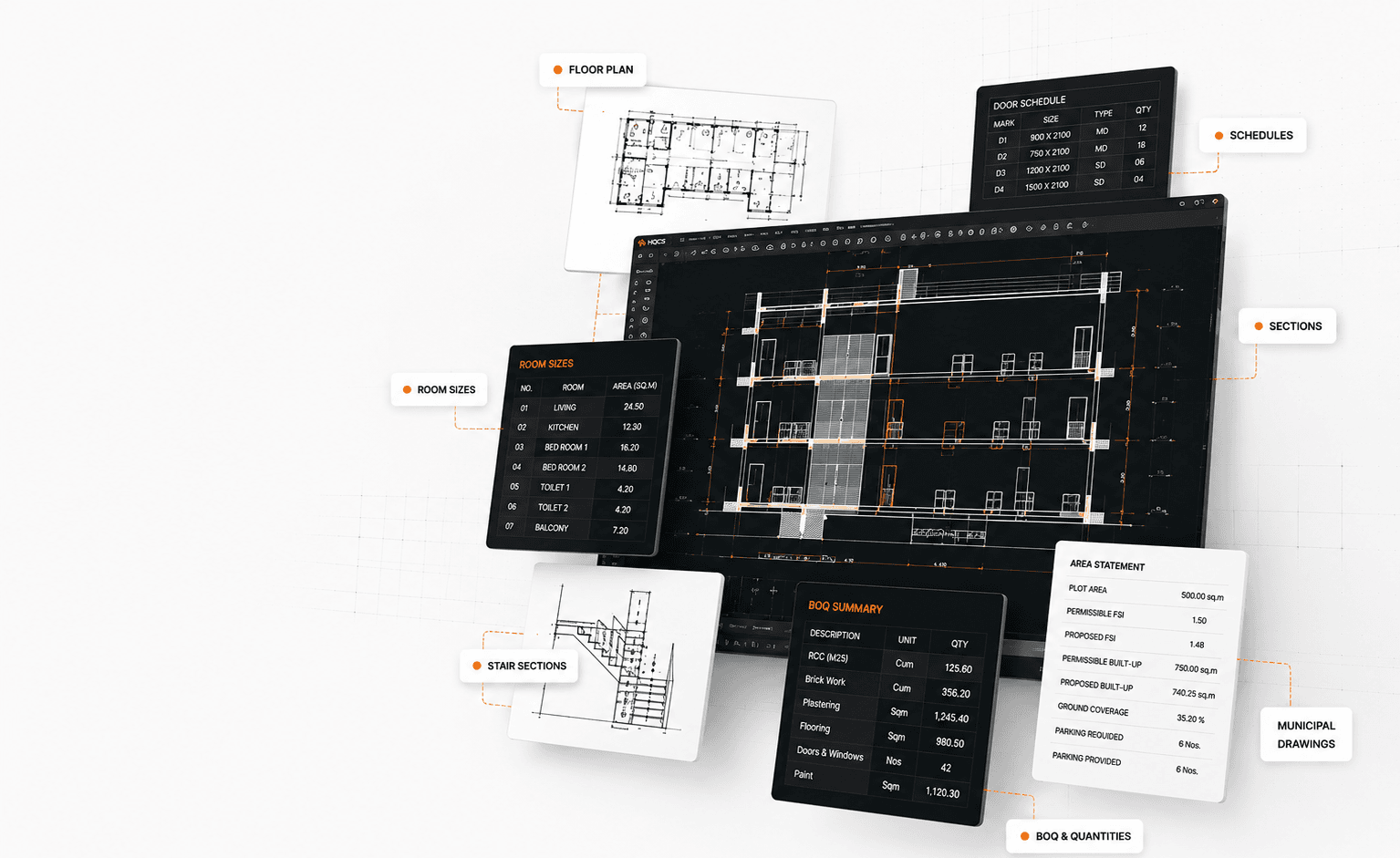
HQCS is a collection of AutoCAD productivity tools built for architects and designers to automate repetitive drafting tasks such as room sizes, schedules, quantities, sections and municipal drawings.
CAD automation tools help automate repetitive work inside CAD software such as schedules, calculations, quantity extraction, sections and drafting operations—reducing manual effort and improving consistency.
Yes. HQCS works inside AutoCAD and extends your existing workflow—so teams can start immediately without changing software or learning a new platform.
Yes. HQCS can identify openings, classify dimensions and generate door and window schedules automatically, reducing documentation time.
Yes. HQCS includes tools to generate building sections and elevations from tagged plan information to reduce repetitive drafting work.
Yes. HQCS includes quantity extraction and BOQ automation tools for walls, flooring, plastering and architectural quantities directly from CAD drawings.
HQCS is designed for architects, interior designers, municipal consultants and drafting professionals who want to reduce repetitive work and improve output speed.
Most users install HQCS in minutes and begin with one utility first. The fastest way is to watch a short tutorial and complete one real task immediately.
No extensive training is required. HQCS works inside your existing CAD environment and includes tutorials to help users adopt commands progressively.
Yes. Download HQCS and explore selected utilities through a free trial before choosing a subscription.
HQCS Across Your Workflow
One Platform. Smarter CAD Work.
From drafting to decisions — built to support your complete workflow.
01
02
03
What's New in HQCS
View all updates →New Update
Auto Furniture Layout — Two Clicks. Full Plan.
Generate complete furniture layouts across the entire plan in just two clicks.
What's Popular
Trusted by Industry Leaders
Used by 2500+ professionals across 450+ offices and 10+ cities.
Real Estate & Industry Leaders








Leading Government Organizations

BHABHA ATOMICRESEARCH CENTRE
Engineering & Infrastructure Leader

Some of Our Esteemed Clients





All logos are property of their respective owners.

Grow with HQCS
Help professionals work smarter in CAD.
HQCS is expanding across cities, offices, and professional networks.
If you work closely with architects, CAD users, consultants, training institutes, or design firms, you can become part of the HQCS Partner Network and help more offices achieve intelligent, efficient workflows.
Exclusive Training
Marketing Support
Technical Assistance
Attractive Benefits
Currently expanding across India
- Mumbai
- Pune
- Bangalore
- Hyderabad
- Ahmedabad
- Delhi
- Kolkata
and more coming soon...
Who can join?
CAD Trainers
Architects
Consultants
CAD Dealers
Technical Educators
Industry Professionals